How to Use Ghost Buttons Effectively?
Ghost buttons create clean, modern interfaces while keeping users focused on important content. Knowing how to use ghost buttons in web design improves navigation, user experience, and conversions. Choosing a custom web design company in India helps businesses implement ghost buttons strategically, ensuring responsive layouts, stronger branding, and better engagement without compromising usability or accessibility.
How to Use Ghost Buttons in Web Design Effectively?
A custom web design company in India uses ghost buttons to improve user experience. Learn how to use ghost buttons in web design with best practices from the best web development company in India.
- What Are Ghost Buttons in Web Design?
- They are commonly used for:
- Why Are Ghost Buttons Important?
- Key Benefits
- How to Use Ghost Buttons in Web Design?
- 1. Use Them for Secondary Actions
- Ghost buttons work best for actions like:
- 2. Maintain Strong Contrast
- Best practices include:
- 3. Keep Button Labels Clear
- Use actionable text such as:
- 4. Add Hover Effects
- Examples:
- 5. Maintain Consistent Spacing
- How to Design Effective Ghost Buttons for Websites?
- Follow These Best Practices
- When Should You Use Ghost Buttons?
- Common Ghost Button Mistakes to Avoid
- Poor Contrast
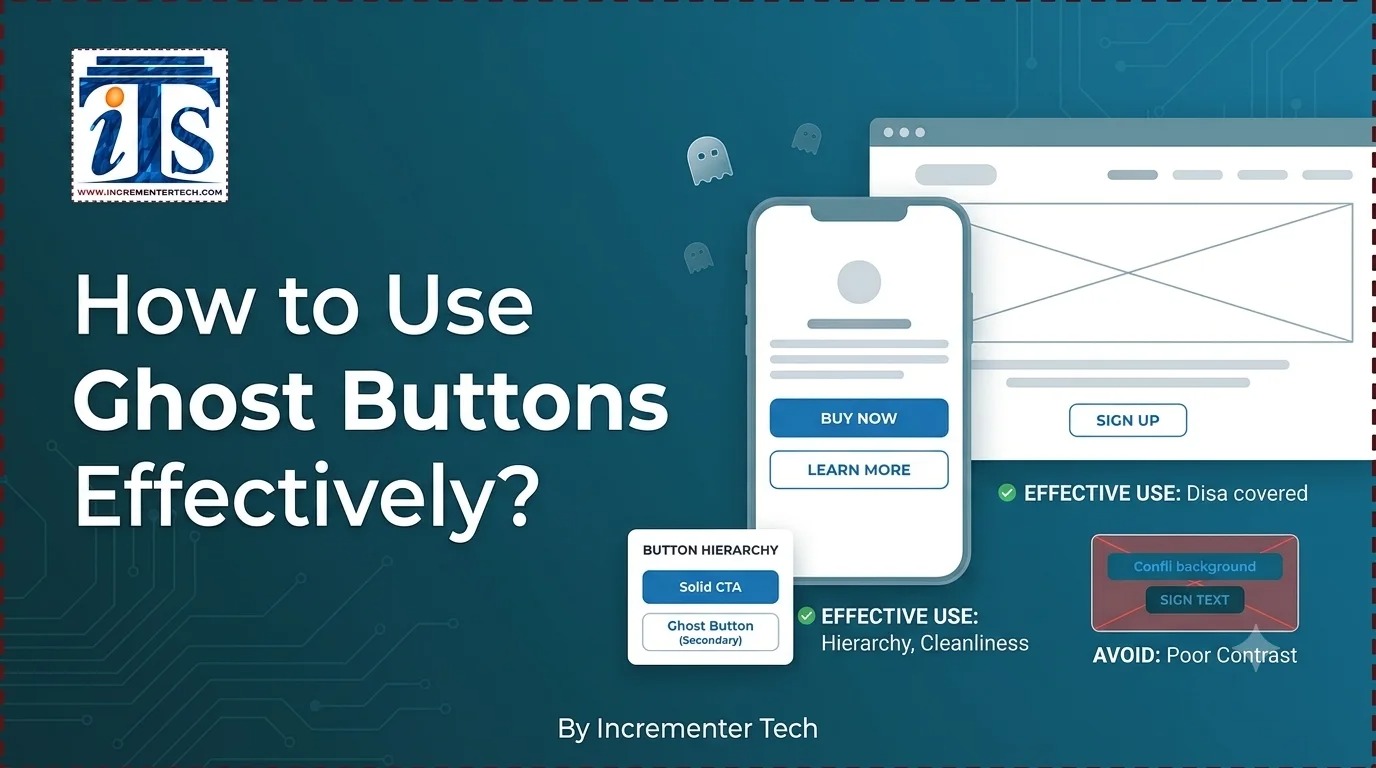
- Buttons disappear against similar backgrounds.
- Too Many Ghost Buttons
- Using them everywhere reduces effectiveness.
- Weak CTA Copy
- Generic text lowers click-through rates.
- Small Click Area
- Buttons should remain easy to tap on mobile devices.
- Ignoring Accessibility
- Poor contrast and tiny fonts affect usability.
- Why Choose a Custom Web Design Company in India?
- Professional designers can:
- Why Businesses Trust the Best Web Development Company in India
- Their expertise includes:
- Why Choose Incrementors Technologies Led by Rahul Mishra?
- What Makes Their Approach Different?
- Best Practices for Ghost Buttons
- Final Thought
- Frequently Asked Questions (FAQs)
- How do you use ghost buttons in web design?
- Use ghost buttons for secondary actions, maintain high contrast, add hover effects, and place them where they complement primary CTAs without distracting users.
- How to design effective ghost buttons for websites?
- Use clear typography, sufficient padding, responsive sizing, accessible colors, and interactive hover states while ensuring visibility across devices.
- Are ghost buttons good for conversions?
- Yes. When used as secondary CTAs alongside solid primary buttons, ghost buttons improve navigation and support better user journeys.
- Where should ghost buttons be used?
- They work best in hero banners, landing pages, portfolios, product pages, and informational sections where a subtle call-to-action is appropriate.
- Why hire a custom web design company in India?
- A custom web design company in India creates responsive, user-friendly websites with optimized CTAs, accessibility, SEO-friendly architecture, and modern UI practices that improve engagement and business growth.
Ghost buttons are transparent buttons outlined with borders instead of solid backgrounds. They offer a minimalist appearance while directing attention without overpowering the page.
● Secondary Call-to-Action (CTA)
● Hero banners
● Portfolio websites
● SaaS landing pages
● Product showcases
● Mobile-friendly interfaces
Using ghost buttons correctly improves both aesthetics and usability.
● Creates a modern UI
● Reduces visual clutter
● Highlights primary CTAs
● Improves responsive design
● Supports minimalist layouts
● Enhances brand consistency
● Learn More
● View Details
● Explore Services
● Read More
Keep primary actions using solid-colored buttons.
Ensure borders and text remain visible on every background.
● White borders on dark images
● Dark outlines on light backgrounds
● WCAG-compliant color contrast
● Get Started
● Contact Us
● View Portfolio
● Book Consultation
Avoid vague wording.
Hover animations improve usability.
● Background fill
● Border color transition
● Text color change
● Slight scaling effect
Provide sufficient whitespace around buttons to improve readability and accessibility.
Designing effective ghost buttons requires balancing aesthetics with usability.
● Use readable typography
● Maintain adequate padding
● Apply consistent border thickness
● Ensure mobile responsiveness
● Test multiple button sizes
● Use accessible color combinations
● Keep animations subtle
● Position buttons strategically
| Website Section | Recommended Use | Reason |
|---|---|---|
| Hero Banner | Yes | Supports clean design |
| Landing Page | Yes | Highlights secondary CTA |
| Pricing Page | Yes | Encourages comparison |
| Checkout | No | Primary CTA should stand out |
| Contact Page | Yes | Minimal interface |
| Portfolio | Yes | Elegant navigation |
A professional custom web design company in India understands user behavior, accessibility, UI principles, and conversion optimization.
● Build responsive layouts
● Improve visual hierarchy
● Optimize CTA placement
● Enhance page speed
● Maintain brand consistency
● Increase engagement through strategic UI
The best web development company in India combines UX research with modern front-end technologies to create websites that perform across all devices.
● Custom UI/UX design
● Responsive web development
● Conversion optimization
● Accessibility compliance
● Performance optimization
● SEO-friendly architecture
Incrementors Technologies, led by Rahul Mishra, focuses on creating user-centric websites that balance aesthetics, usability, and performance.
● Research-driven UI/UX strategy
● Custom website development
● Conversion-focused CTA design
● Mobile-first development
● SEO-friendly architecture
● Scalable business solutions
● Continuous performance optimization
| Best Practice | Benefit |
|---|---|
| Use for secondary CTAs | Keeps focus on primary action |
| Maintain strong contrast | Improves visibility |
| Add hover effects | Enhances interaction |
| Use concise CTA text | Increases clicks |
| Ensure mobile responsiveness | Better user experience |
| Follow accessibility guidelines | Inclusive design |
Understanding how to use ghost buttons in web design helps create elegant, accessible, and conversion-focused websites. Partnering with a custom web design company in India or the best web development company in India ensures strategic button placement, responsive layouts, and exceptional user experiences. Applying these best practices improves usability, strengthens branding, and encourages meaningful customer interactions while supporting long-term digital success.